Polygon & mixed contours
Combine straight segments, B-splines, and three-point curves in one closed contour. Closed polygons support area, masks, Boolean operations, annotation export, and pixel-level CSV data for every enclosed image pixel.
THE COMPLETE SYSTEM
One continuous path from a source image to traceable geometry, inspection verdicts, process capability, and production exchange.
Create clean closed contours and analytic engineering features over JPG, JPEG, PNG, or BMP images. Every accepted shape is normal editable document geometry—not a flattened mask or temporary overlay.
Combine straight segments, B-splines, and three-point curves in one closed contour. Closed polygons support area, masks, Boolean operations, annotation export, and pixel-level CSV data for every enclosed image pixel.
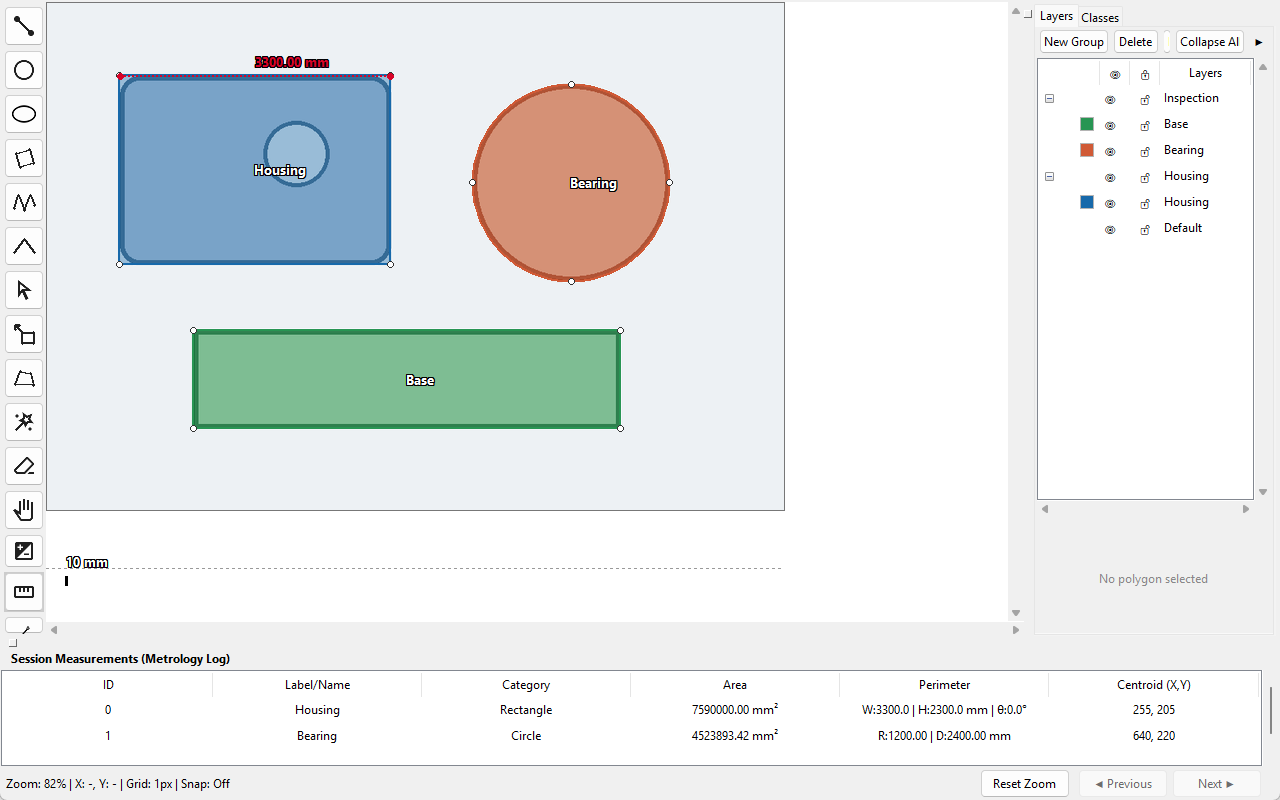
Draw circles, ellipses, rectangles, rotated rectangles, curves, lines, and angles with live dimensions and calibrated metrology.
Select, move, insert, remove, and refine points while preserving object metadata and the document history path.
Pan, zoom, crosshair, grid and snapping controls support high-precision placement without resampling the underlying image.
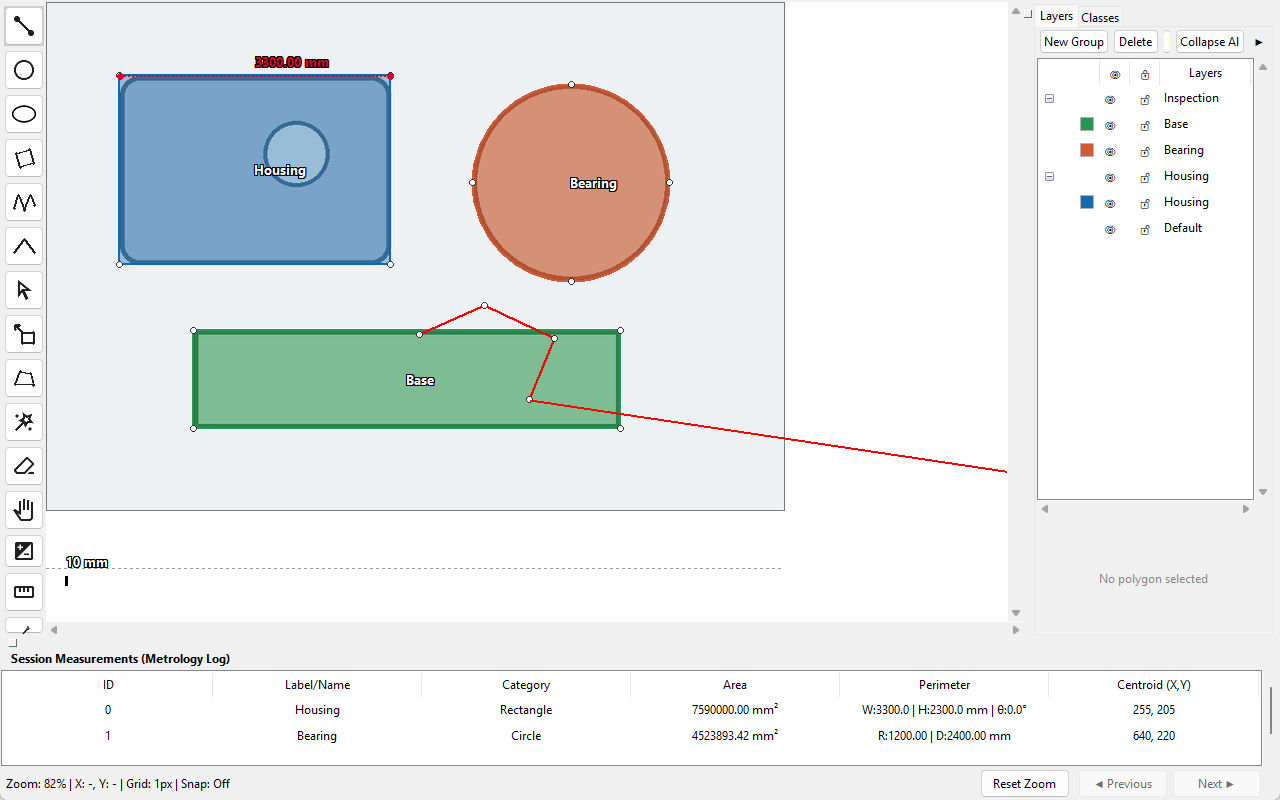
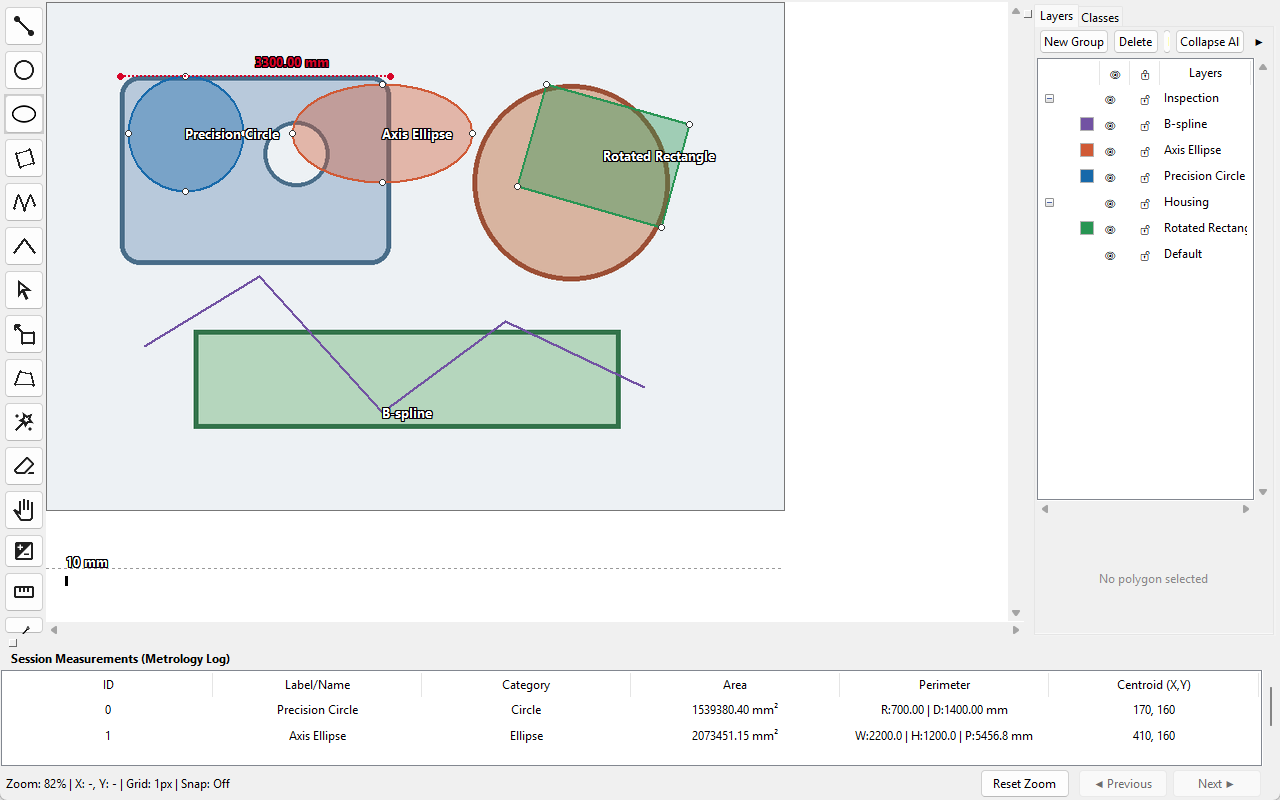
Transform, combine, classify, layer, lock, and audit geometry without losing semantic structure. Full snapshots keep geometry, classes, layers, calibration, visibility, locks, and extensions together through Undo and Redo.
Move, scale, rotate, flip, resize, crop, and correct perspective with visible guides. Evaluation quotas apply only in the Demo edition.
Union, subtract, intersect, split, and punch holes while keeping valid closed contours for mask and dataset export.
Stable UUID-backed semantic labels control naming patterns and colors while preserving backward-compatible numeric export indices.
Control stacking, visibility, locking and organization independently from semantic Classes, including safe non-empty layer deletion.
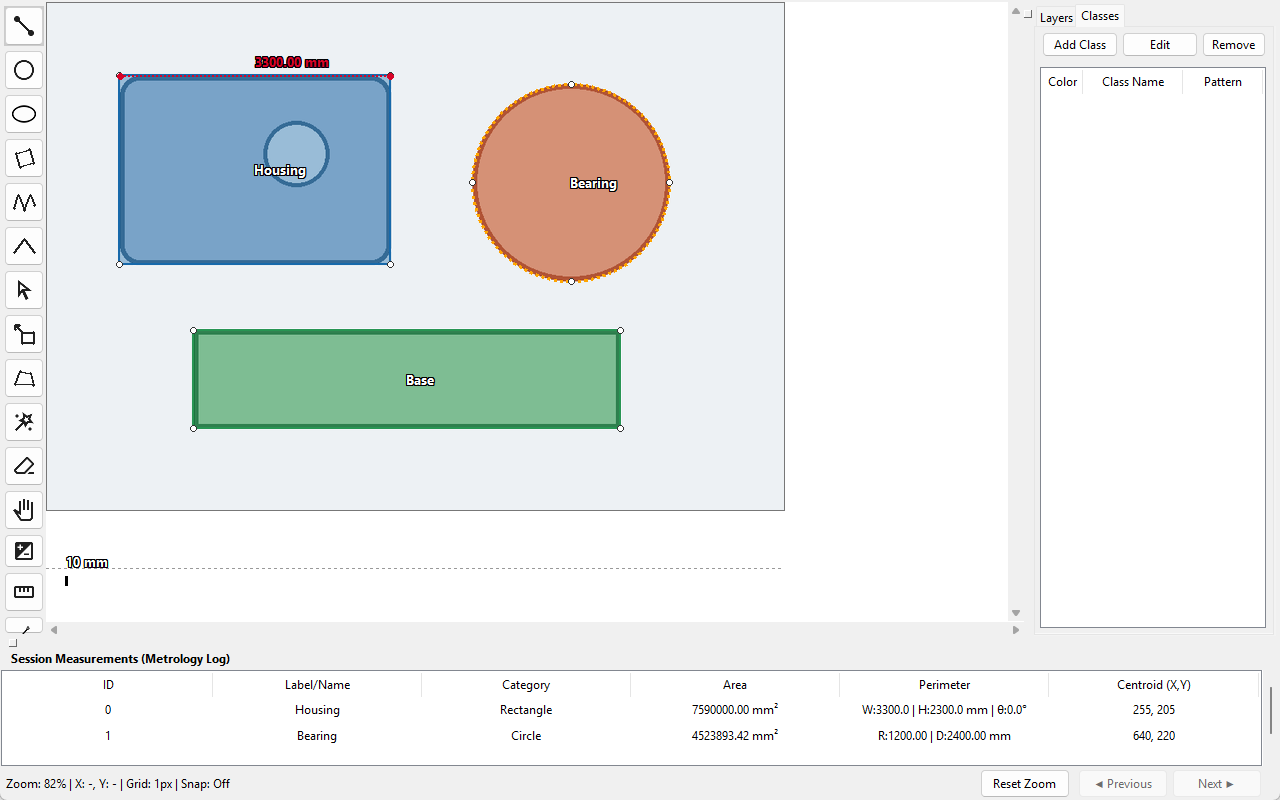
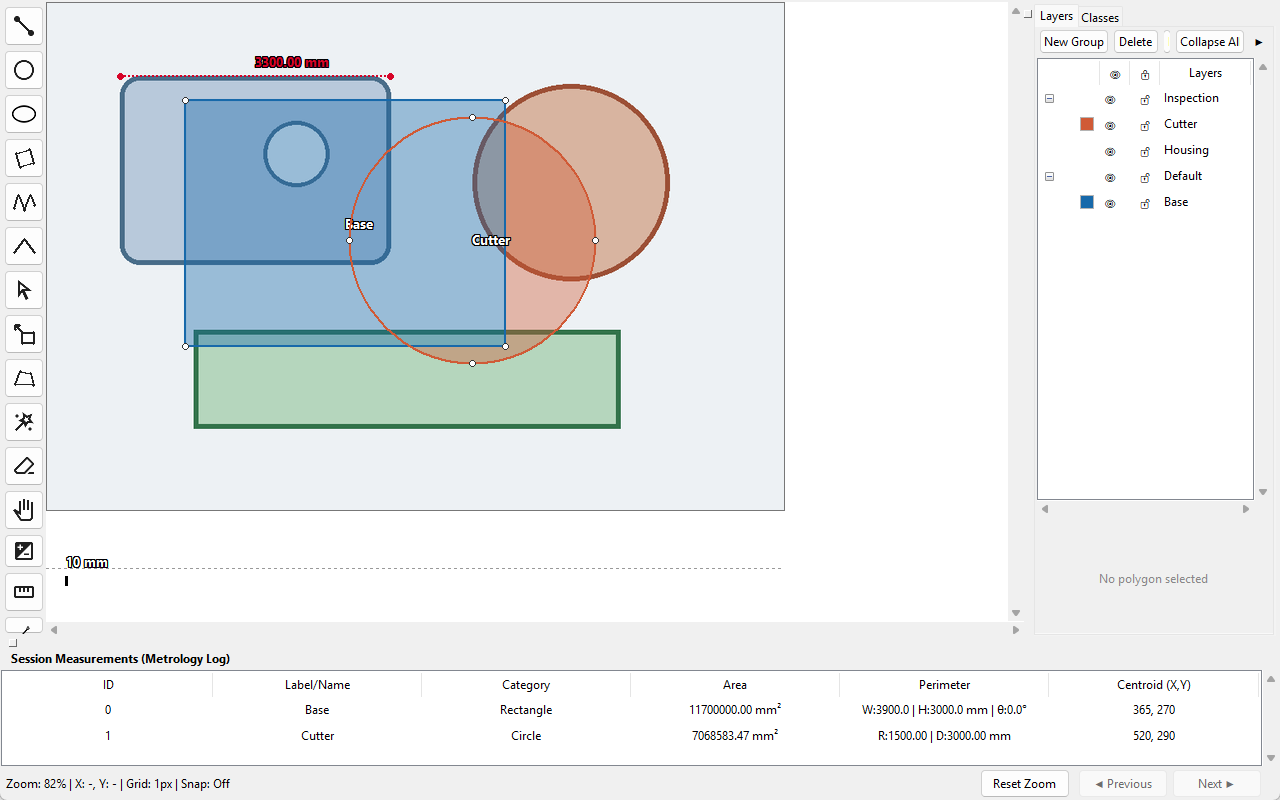
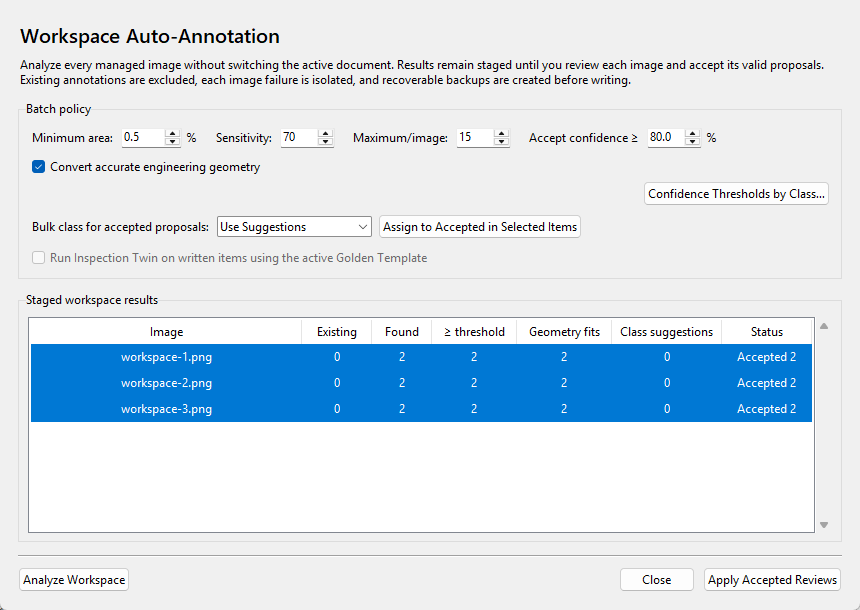
Automation is deliberately preview-first. Analysis exposes confidence, fit metrics, class suggestions, exclusions, errors, and staged decisions before any document or workspace state is changed.
Learn local foreground/background colors with GrabCut, keep the connected object, refine with positive or negative clicks, and optionally fit engineering geometry.
Combine border-background contrast and closed-edge candidates, rank confidence, suppress overlaps, and accept an exact reviewed subset as one history operation.
Analyze many managed images without switching the open document. Review per-page contours, accept low-confidence exceptions explicitly, and apply only reviewed decisions.
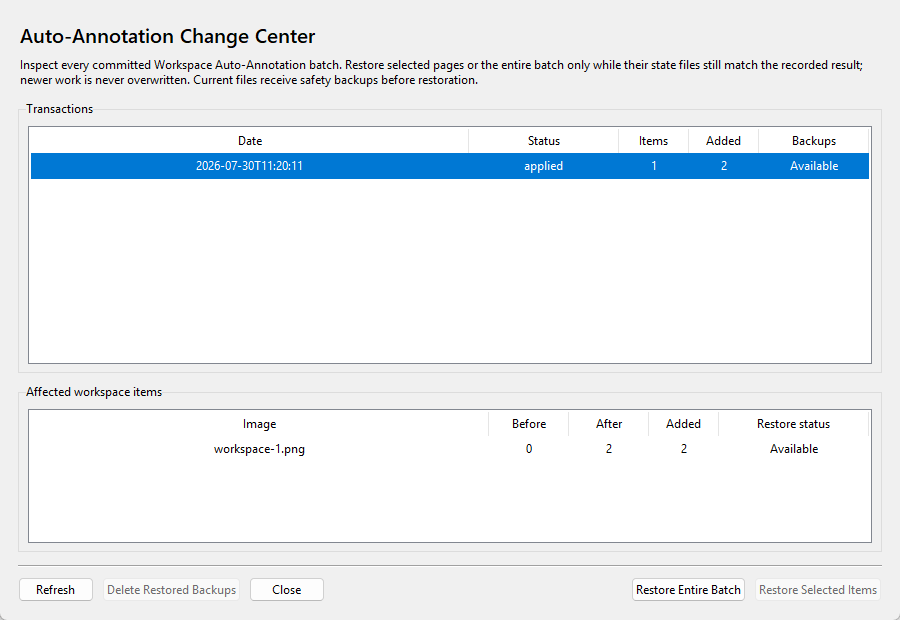
Inspect committed batches, restore selected items or whole transactions, protect newer work with digest checks, and retain partial rollback availability.
Content-addressed results reuse unchanged image, annotation, detector, and class semantics while any relevant change produces a new cache key.
Save Auto-Annotation settings with Quality Rules and Golden Templates as portable, versioned .polyworkflow production policies.
Calibrate with a known reference, read live dimensions in physical units, correct perspective, recognize analytic geometry, and enforce exact geometric relationships before inspection.
Measure lengths, areas, perimeters, centroids, radii, diameters, widths, heights, directions, and angles in calibrated units.
Evaluate a selected contour as a circle, axis-aligned ellipse, or rotated rectangle with normalized RMS, maximum error, and confidence.
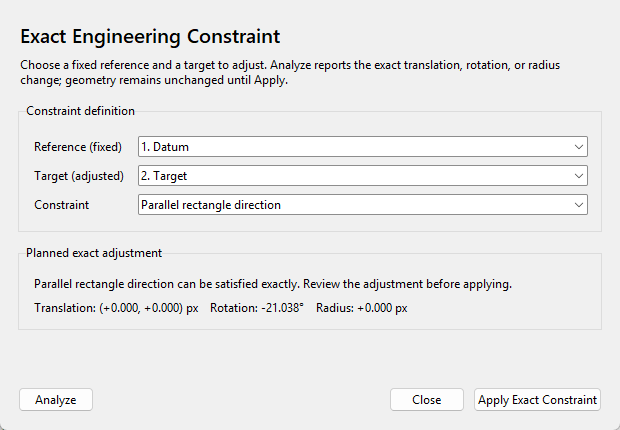
Preview and apply concentric, center-aligned, equal-radius, parallel, or perpendicular relationships to unlocked target geometry.
Rectify photographed or skewed source imagery with configurable guides before drawing or measurement.
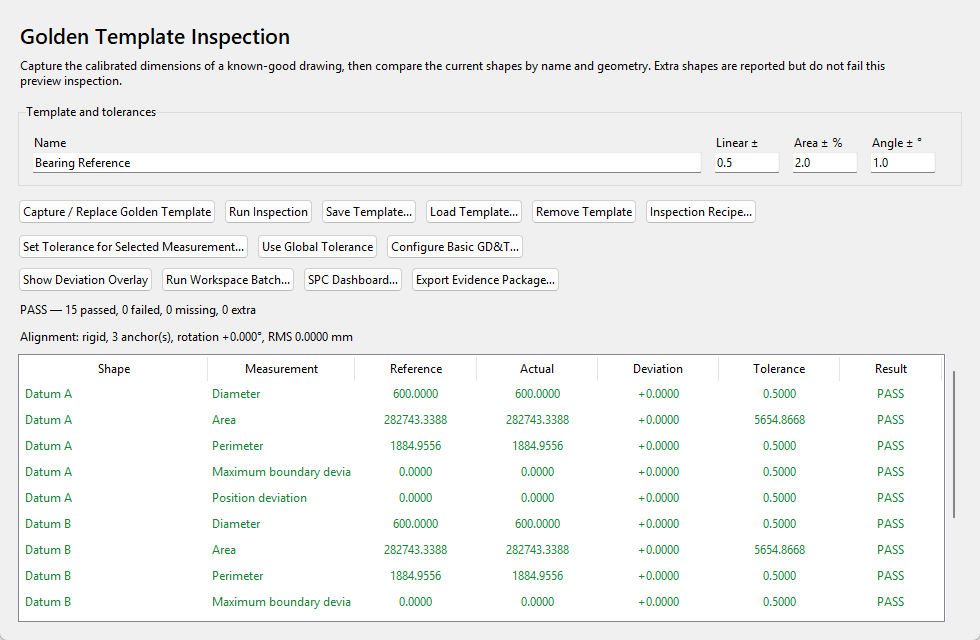
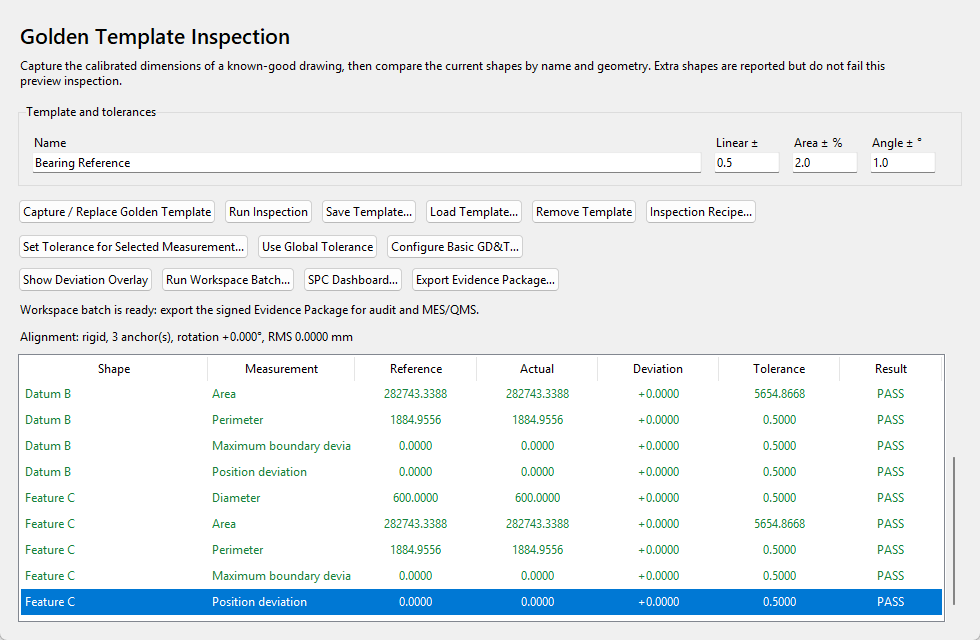
Inspection Twin bridges annotation and quality assurance. Capture a Golden Template, align incoming geometry, apply dimensional and boundary tolerances, hand off from Auto-Annotation, and evaluate whole workspaces.
Capture calibrated shapes and bounded 128-sample outlines, save portable .polyinspect templates, and preserve compatibility with older templates.
Remove translation and rotation using matched centers or datum anchors. Pixel-only work may normalize scale; calibrated work retains physical scale.
Set global linear, area-percentage, angular and boundary tolerances, then override any measurement on any feature.
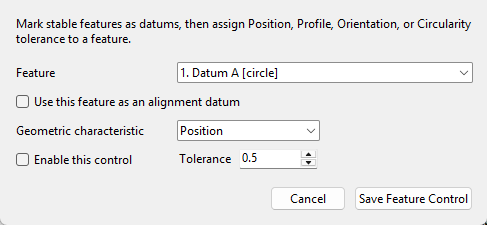
Configure Datum features with Position, Profile, Orientation, and Circularity controls. Class-aware identity supports generated annotations.
Package template, tolerances, GD&T, quality policy, calibration contract, class catalog, verdict rules, and report selection as .polyrecipe.
Inspect all managed state files without switching the active document and isolate missing, invalid, or unit-incompatible items as local errors.
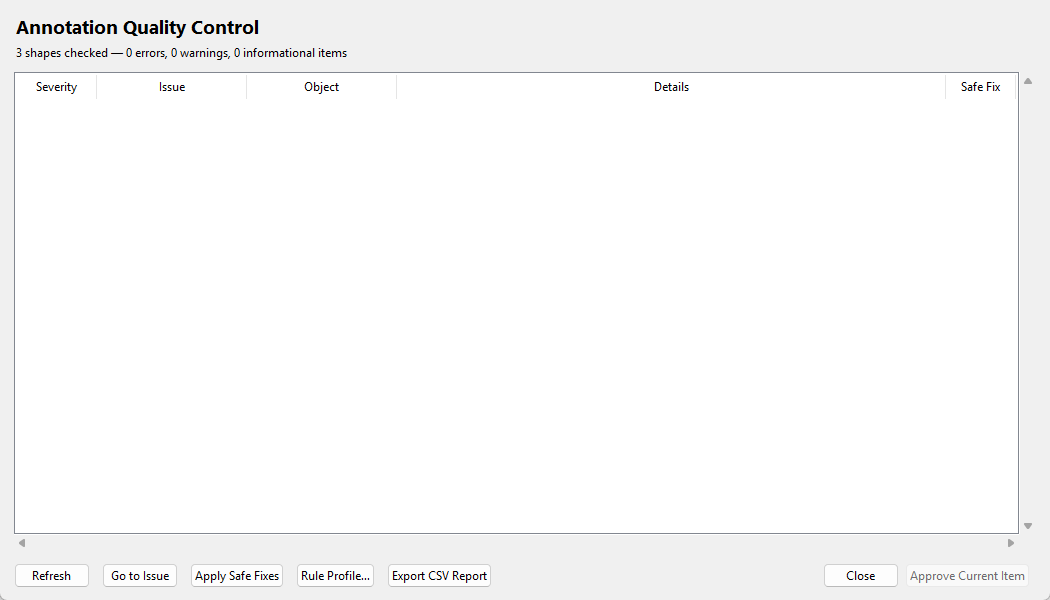
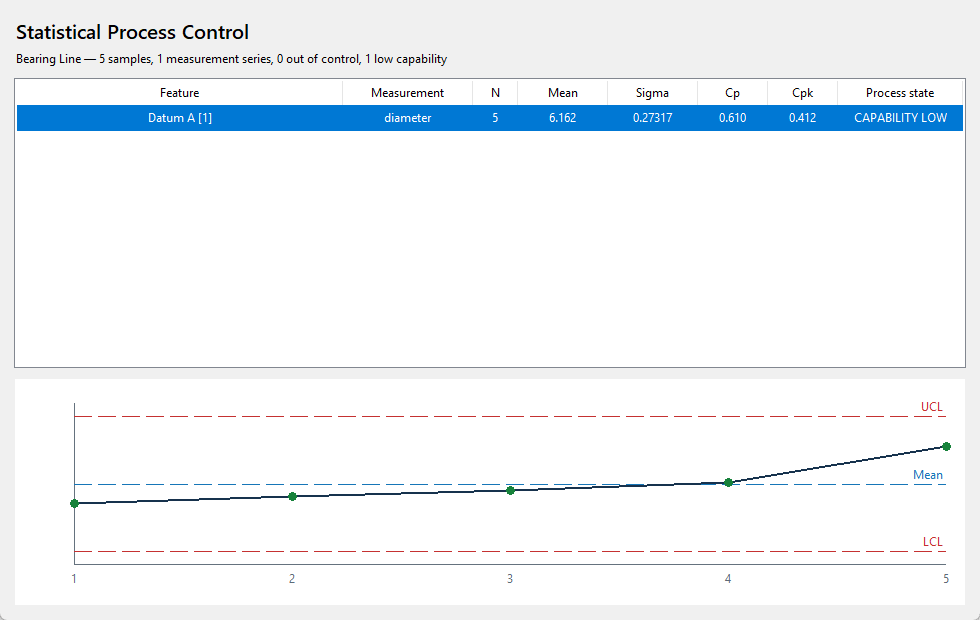
Treat data quality and manufacturing quality as connected systems. A workspace item can become Approved only when the complete quality scan has zero errors; downstream SPC reveals drift beyond individual verdicts.
Combine built-in geometry and metadata checks with configurable minimum/maximum area, object count, required class, and per-class limits.
Enforce a zero-error scan before an open Workspace item can enter Approved status, including from Workspace Manager.
Compute mean, sample standard deviation, three-sigma control limits, specification limits, Cp and Cpk per feature/metric series.
Flag points outside limits, six-point trends, and eight points on one side of the mean without an external AI dependency.
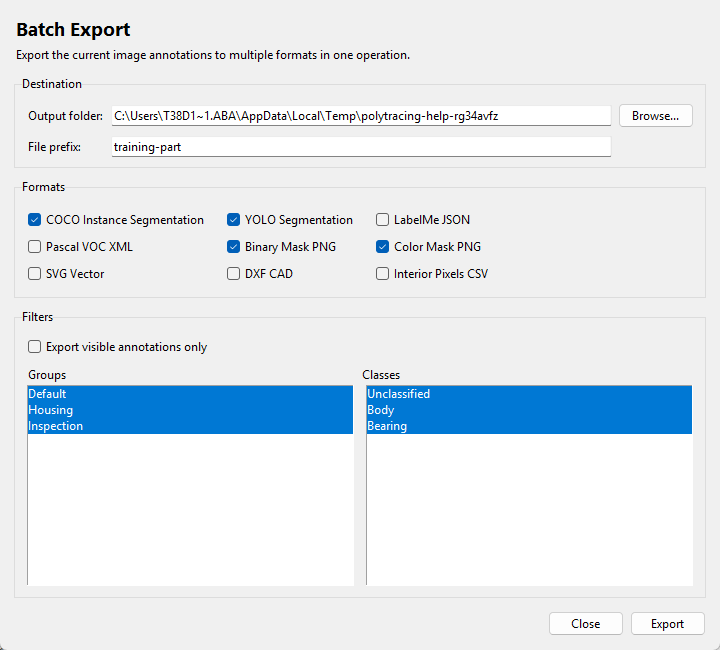
Move from a visual result to a verifiable release package. Stable machine-readable artifacts, hashes, provenance, and MES/QMS exchange make the workflow practical beyond the desktop.
Generate landscape lot summaries and measurement details with repeated headers and page-numbered footers.
Record byte size, SHA-256, application, workspace, template, and artifact provenance for every exported evidence file.
Link inspection, Auto-Annotation apply/rollback, and evidence events so modifying or reordering earlier history invalidates the chain.
Include flattened quality-record JSON and measurements CSV designed for stable downstream filesystem integration.
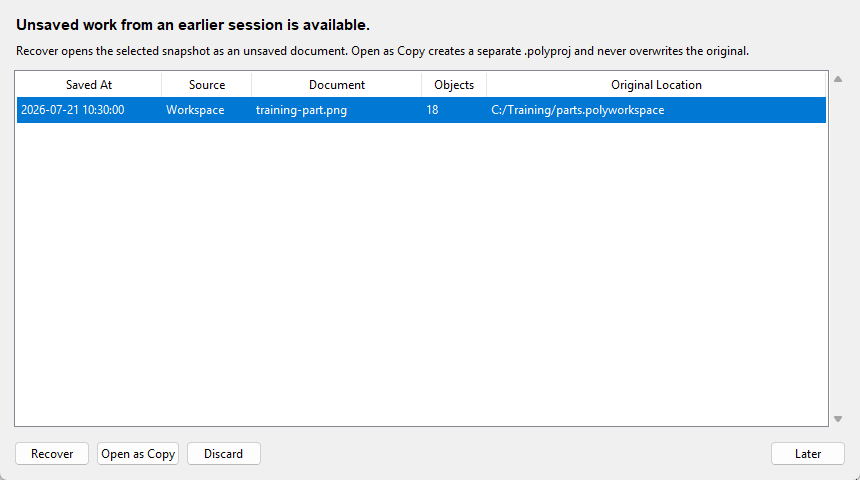
Projects embed the processed image, geometry, holes, classes, layers, calibration, engineering metadata and supported extensions. Older schemas migrate in memory; the first rewrite creates an adjacent backup; unknown fields open read-only.
Complete portable projects with embedded image and document state, plus upgrade-compatible .polydemo evaluation projects.
Managed image copies, atomic state JSON, stable class schema, status, split, tags, notes, thumbnails, relinking, and SHA-256 duplicate prevention.
Background snapshots protect unsaved work without replacing the project; retention is configurable and normal saves clear obsolete recovery records.
Sequential in-memory migrations, future-schema rejection, read-only unknown-field protection, and byte-identical pre-migration backups.
GEOMETRY → PIXEL DATA
Convert polygon-defined regions into structured pixel-level image data. PolyTracing Studio exports the x and y coordinates of every pixel contained by a closed polygon, together with that polygon's code, as a CSV file.
Each row represents one included pixel. Polygon membership is preserved through the code column, so pixels from multiple traced regions remain distinguishable—even when overlapping regions place the same coordinate under different polygon codes.
Built for downstream ROI analysis, scientific image processing, segmentation workflows, custom algorithms, and transfer to Python, MATLAB, R, or spreadsheets.
x,y,code
225,66,11-1
226,66,11-1
227,66,11-1
228,66,11-1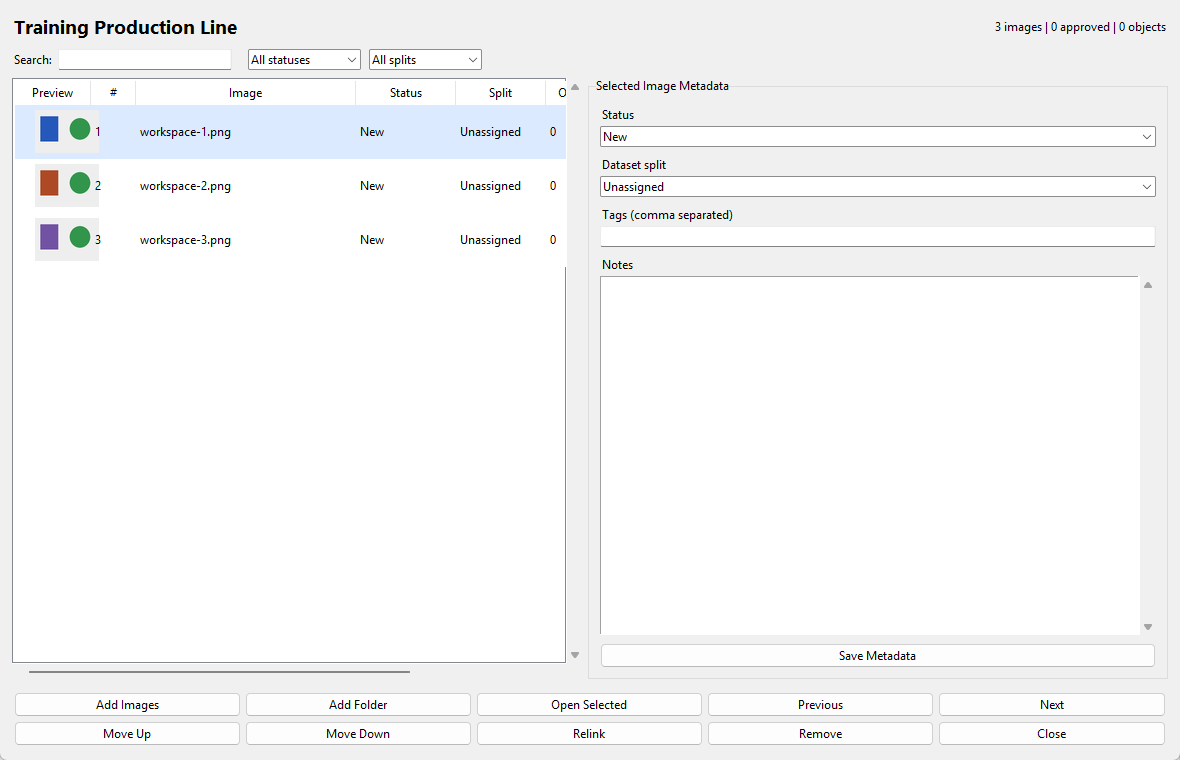
WORKFLOW SHORTCUTS
A detailed contour from first point to final transform.
Stage, inspect, decide, apply, and roll back safely.
Template alignment through process capability.
The Demo includes all current drawing tools and a meaningful evaluation of professional editing, metrology, quality, and assisted operations.