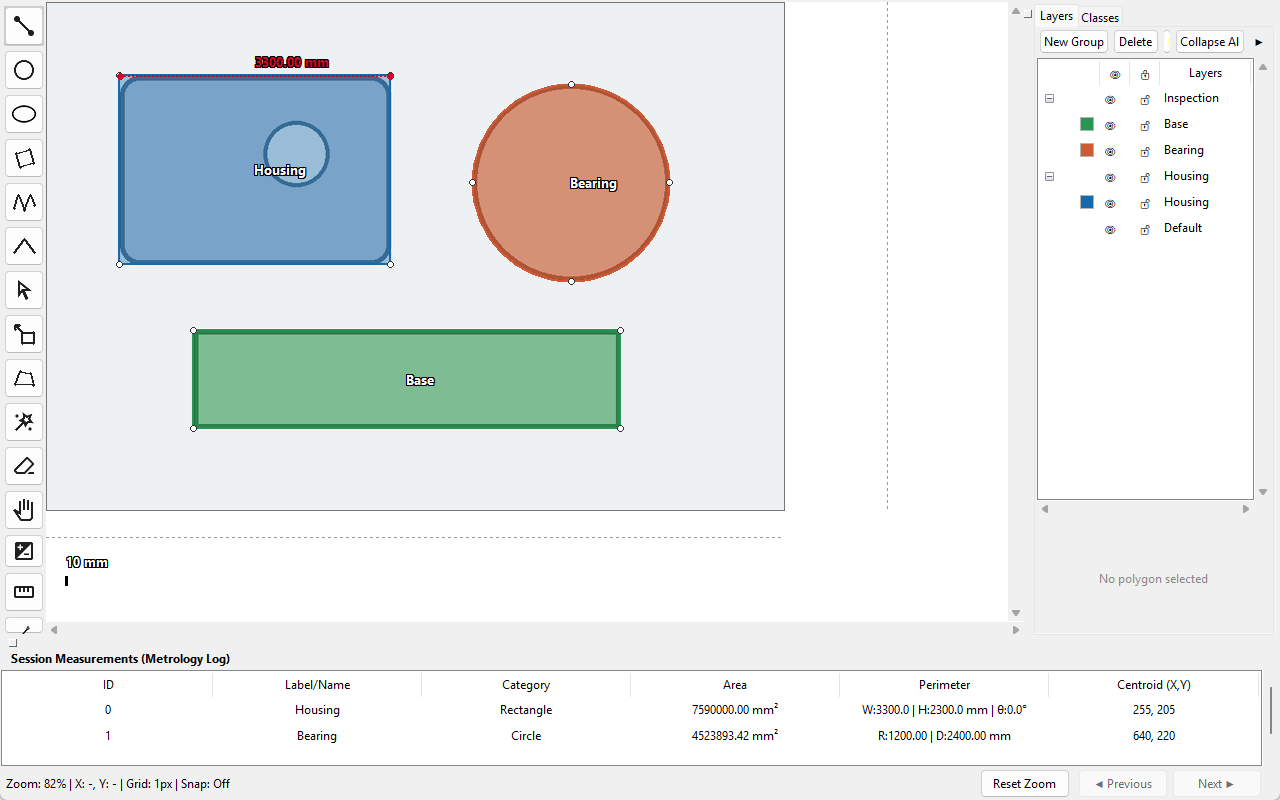
Trace mixed geometry
Draw polygons, B-Splines, three-point curves, circles, ellipses, rectangles, and rotated rectangles.
WINDOWS DEMO / DIRECT DOWNLOAD
Explore image tracing, calibrated measurement, annotation, assisted geometry tools, and image-based analysis in the real Windows workspace.
Windows 10/11 · 64-bit · Version 2.2.0 · 54.5 MB
Official download from polytracing.com · Local/offline application · SHA-256 available
VALUE FIRST / LEARN BY DOING
The Demo uses the real drawing and editing workspace, with defined evaluation limits.
Draw polygons, B-Splines, three-point curves, circles, ellipses, rectangles, and rotated rectangles.
Edit nodes and contour segments with the Transform tool and Professional Node Editor.
Calibrate images and evaluate length, area, perimeter, width, diameter, and angles in physical units.
Evaluate Smart Boundary, geometry recognition, automatic detection, Boolean editing, and perspective correction within Demo quotas.
Work with layers, up to four classes, four groups, quality controls, the Inspector, and multi-image workspaces.
Save upgrade-compatible .polydemo projects and continue them in the Full edition when production output is required.
OPTIONAL / STAY INFORMED
Leave your email only if you would like PolyTracing Studio update announcements and occasional special offers. This is completely optional and has no effect on Demo access.
CLEAR EVALUATION BOUNDARIES
Explore the core workflow before upgrading. Production interchange and output remain reserved for the Full edition.
FULL EDITION OUTPUT
Pixel-Level ROI Export converts closed polygon regions into x,y,code pixel data in the Full edition; it is not available for export in the Demo.
SYSTEM REQUIREMENTS
OPTIONAL INTEGRITY CHECK
Confirm that the installer you downloaded matches the official release from polytracing.com.
SHA-256 CHECKSUM
e0066b7e03a8f24922f733159736ce122f89e04e4da766b5dc141e583531419cThe current installer does not yet carry a public Microsoft Authenticode certificate. Windows may therefore display an “Unknown publisher” or Microsoft Defender SmartScreen notice on first run. Verify the official source and SHA-256, then follow the installation and verification guide if needed.
READY WHEN YOU ARE
2.2.0 Demo · 54.5 MB · No account required